
Workout timer
The Timer tab has four modes. Rest counts down the break between sets and is free. EMOM, HIIT and AMRAP are interval timers for conditioning work and come with LoadPR+. Each mode remembers the timers you run, so the next one is a tap away.
Rest timer, free
Set the rest with two wheels, minutes from 0 to 59 and seconds in steps of 15, and tap Start. The shortest rest is 15 seconds. Until you have recents, LoadPR suggests 30 s, 1 min, 1:30, 2 min, 3 min and 5 min, and a tap on one starts it.
While it runs, the countdown shows on the lock screen and in the Dynamic Island as a Live Activity, and if you allow notifications, one tells you when the time is up. You can lock the phone between sets and still see the time left.
EMOM, with LoadPR+
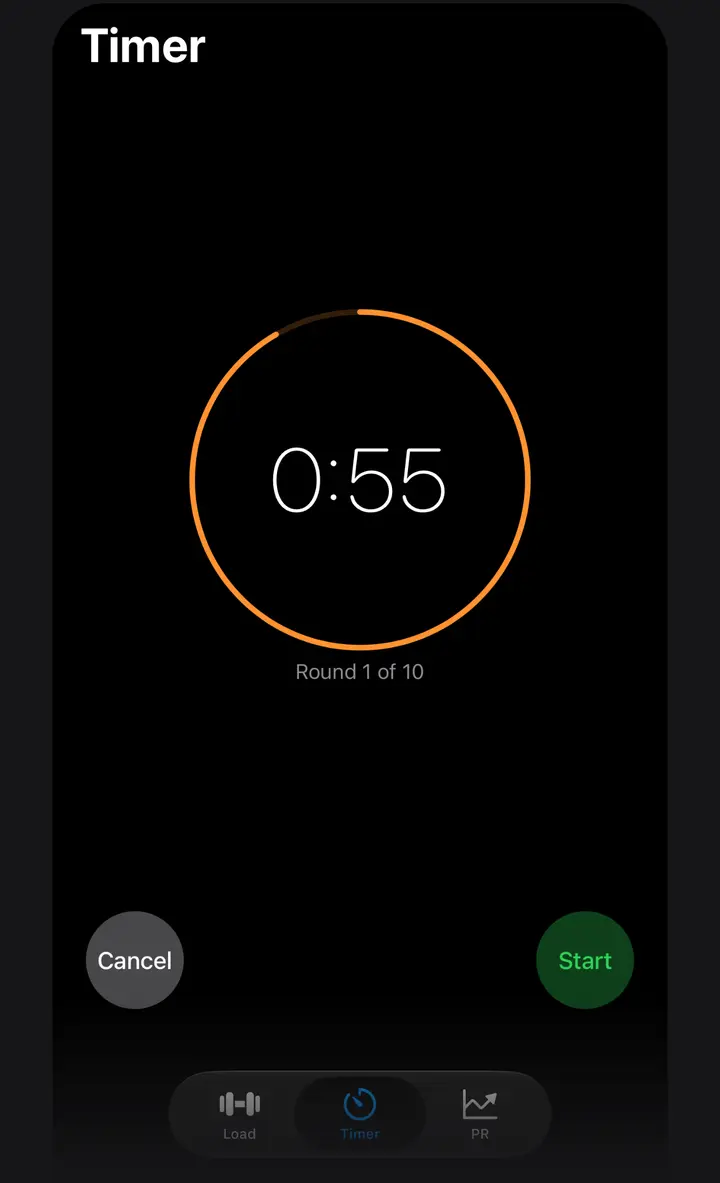
Every minute on the minute: pick 1 to 60 rounds of one minute each and the timer runs them back to back. The screen shows the seconds left in the minute and the round, such as Round 1 of 10, and the iPhone taps at the start of each new round.
The suggestions are 5, 8, 10, 12, 15 and 20 rounds.
HIIT, with LoadPR+
Set the work time and the rest time, each from 5 to 120 seconds in steps of 5, and 1 to 20 rounds. LoadPR shows the total time before you start. While it runs, WORK and REST alternate in green and red, with the round below the countdown.
The suggestions cover common intervals:
- Tabata: 20 s work, 10 s rest, 8 rounds (4:00)
- 30/15 × 8
- 40/20 × 6
- 30/30 × 10
- 45/15 × 10
AMRAP, with LoadPR+
As many rounds as possible: set a time from 1 to 60 minutes and start. Tap Round Complete at the end of each round. The screen counts your rounds and shows the time of the last one.
When the time is up, LoadPR shows the rounds completed, your average pace, the fastest and the slowest round, and the split of every round. Like Rest, AMRAP shows on the lock screen and in the Dynamic Island while it runs, with your round count.
Recents and pins
Each timer you start is saved in that mode's recents, up to 10, so you can run it again with one tap. Pin the ones you use most: pinned timers stay at the top and are never pushed off the list. Swipe a recent to remove it.
At the gym
The screen stays on while a timer runs. You can switch to the Load or PR tab, for example to load the next set or log the last one, and the timer keeps going. When a timer finishes, the iPhone plays a sound.
EMOM and HIIT do not have a Live Activity, so keep LoadPR open to follow their rounds. Rest and AMRAP show on the lock screen.
How to start a timer
- Open the Timer tab. It opens on Rest.
- Pick a mode. Choose Rest, EMOM, HIIT or AMRAP at the top. EMOM, HIIT and AMRAP are part of LoadPR+.
- Set the time. Turn the wheels, or tap a suggestion or a recent timer.
- Start. Tap Start. Pause or cancel with the buttons under the countdown.
Free
- The Rest timer, from 15 seconds to 59:45
- The Rest countdown on the lock screen and in the Dynamic Island
- Recents and pinned timers
With LoadPR+
- EMOM, 1 to 60 rounds
- HIIT with work, rest and rounds
- AMRAP with round splits
- No ads
Questions about this feature
Which timer modes are free?
Rest is free. EMOM, HIIT and AMRAP are part of LoadPR+.
Does the rest timer work with the phone locked?
Yes. The Rest countdown shows on the lock screen and in the Dynamic Island, and if you allow notifications, one tells you when the rest is over.
What is the shortest and longest rest I can set?
From 15 seconds to 59 minutes 45 seconds, in steps of 15 seconds.
What does the Tabata suggestion set?
The HIIT timer with 20 seconds of work and 10 seconds of rest for 8 rounds, 4 minutes in all. HIIT is part of LoadPR+.
Does the AMRAP timer count my rounds?
Yes. Tap Round Complete after each round. At the end LoadPR shows the rounds, your average pace, the fastest and slowest round and every split.
Does the timer keep running if I switch tabs?
Yes. It keeps running while you use the Load or PR tab, and the screen stays on while it runs.